
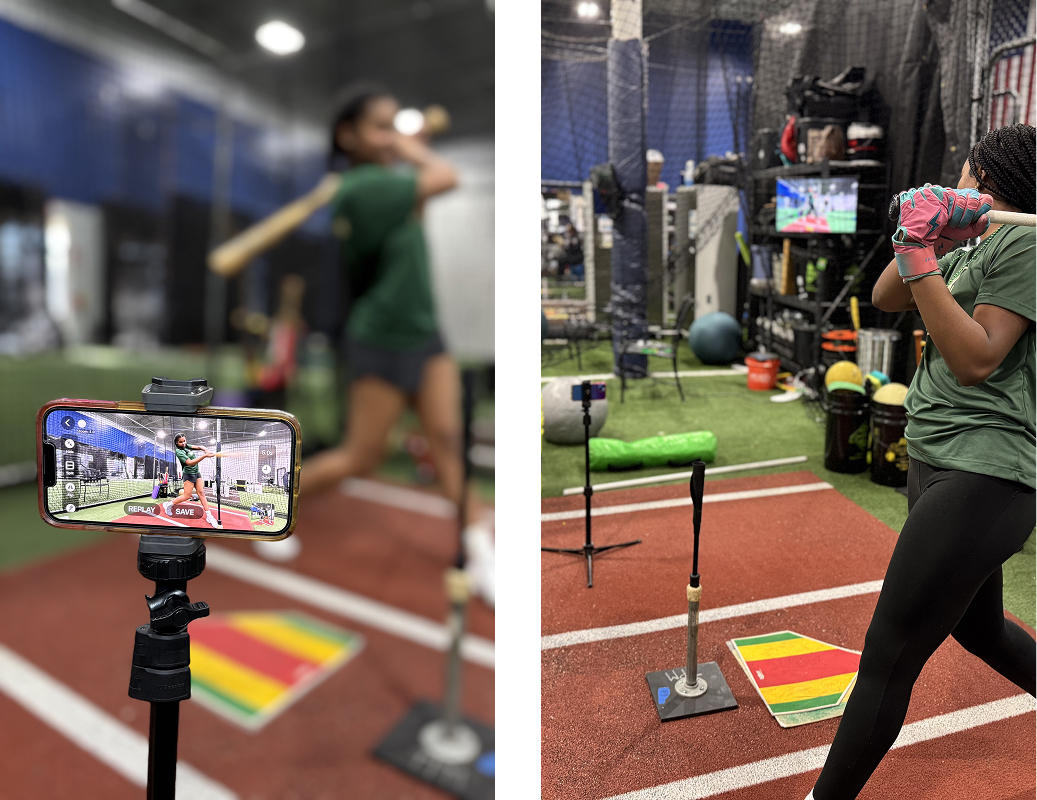
A delay camera shows what your camera saw a few seconds ago instead of the live picture. You do your rep, look up at the screen, and watch yourself, automatically. There is nothing to press, nothing to rewind, and nobody has to stand behind a camera, so practice never pauses.
Video Delay Instant Replay turns a phone or tablet into a delay camera, on iPhone and iPad or on Android. Put the device on a tripod, point it at the action, pick how many seconds of delay you want, and train. This page explains how a delay camera works, where the idea came from, and what to look for in one.
How a delay camera works
The app continuously buffers what the camera sees and plays it back behind live by exactly the delay you choose. A short delay gives you a quick glance right after every move. A longer delay lets you finish a whole routine, walk to the screen, and watch it from the start. In Video Delay Instant Replay the total buffer, meaning how far back you can rewind, is set independently from the delay time, so you can also scroll back and review earlier reps, not just the last one.
A brief history: chase play, DVR boxes, and replay carts
Coaches wanted delayed video long before smartphones existed. The classic do-it-yourself rig was a camcorder wired into a TV through a hard drive recorder, using the DVR trick called chase playback: start recording, wait a few seconds, then press play while the recording keeps running. The TV now showed everything on a fixed delay, and the gym had a delay camera built out of a cart full of hardware.
It worked, and plenty of golf schools, gymnastics gyms, and volleyball clubs ran exactly that setup for years. But it was expensive, fragile, and immobile. You needed a camera, a recorder, a TV, power for all three, and someone who knew which input the TV had to be on. Facilities with bigger budgets installed dedicated mounted replay systems, in the style of SideLine Scout setups for batting cages and bullpens. Everyone else improvised or went without.
A phone on a tripod replaced the whole cart. The camera, the buffer, and the screen are one device, it fits in a pocket, and the delay is a slider instead of a stopwatch and a remote control.
What athletes use a delay camera for
Any skill where you cannot watch yourself while doing it benefits from a delay camera. Golfers use it at the driving range: swing, look up, and see the swing you just made, with no one holding a phone. Video Delay Instant Replay adds golf specific AI presets, like Golf Tempo, which detects each swing and shows your backswing to downswing ratio automatically on the delayed replay. See instant replay at the range for the full setup.
Gymnasts and divers check landings and entries between attempts. Volleyball players review their approach and arm swing. Lifters check form and depth between sets. Dancers and skaters run a routine, then watch it back like a delayed mirror. Coaches running team drills let the delay screen give feedback to one athlete while they watch the next.
More than a delayed mirror
A plain delayed feed is only half the job, because sooner or later you want to stop and study one moment. Video Delay Instant Replay pairs the delay camera with a dedicated replay screen where you can pause, play in slow motion, and step frame by frame. And while a replay is open the app keeps capturing, so the rest of the group keeps practicing and nothing is lost.
You can also show two views side by side, use a second iPhone or iPad as a synced second camera for another angle, bring in a GoPro or DJI Osmo Action as the camera, send the picture to a TV over AirPlay or HDMI, and record everything to MP4 for sharing. See using an external camera for the camera options.
Get the delay camera app
On iPhone and iPad, Video Delay Instant Replay is a subscription app, and you can try it free before subscribing, with no payment details and no auto renewing trial to cancel. Download it on the App Store.
On Android, we make two apps that do the delay camera job: Video Delay Instant Replay CAM, free to download, and Video Delay Instant Replay PRO, a one time purchase. Both give you the delayed view, slow motion, and recording. See the Android options for how to choose between them.
Delay camera FAQ
How long can the delay be?
You choose it. A few seconds works for single reps, longer delays suit full routines. The total buffer is set separately from the delay, so you can rewind further back than the delay itself.
Is a delay camera the same as a video replay app?
They overlap. A delay camera plays the feed back automatically on a fixed delay, while a video replay app adds controls to pause, slow down, and step through a moment. Video Delay Instant Replay does both jobs in one app.
Do I need someone to operate it?
No. Hands free operation is the point. Set the tripod, set the delay, and every rep appears on screen by itself.
Can I use an external camera?
Yes. GoPro Hero 10 and newer connect directly, DJI Osmo Action cameras connect over Bluetooth and Wi-Fi (tested on the Osmo Action 3 and Osmo Action 5 Pro), and USB, IP, NDI, and RTMP sources work too.