

Ever wish you could see yourself in action just seconds after a workout move? With Video Delay Instant Replay, you can! Just set the delay, do your exercise, and watch an instant replay – no buttons to press or storage to worry about. It’s quick, hands-free feedback that shows you exactly how you’re moving in real time.
Let’s see how these features translate into practical benefits for your strength training sessions, helping you avoid injury and achieve better results.
How to check your form during the barbell squat
A good barbell squat protects your spine by engaging your glutes and quads, not your lower back or joints. But checking if you’re maintaining a neutral spine can be difficult while looking ahead. To do so, you need proper feedback tools. The Video Delay Instant Replay app gives you immediate visual feedback, helping you quickly spot and correct mistakes for your next set.
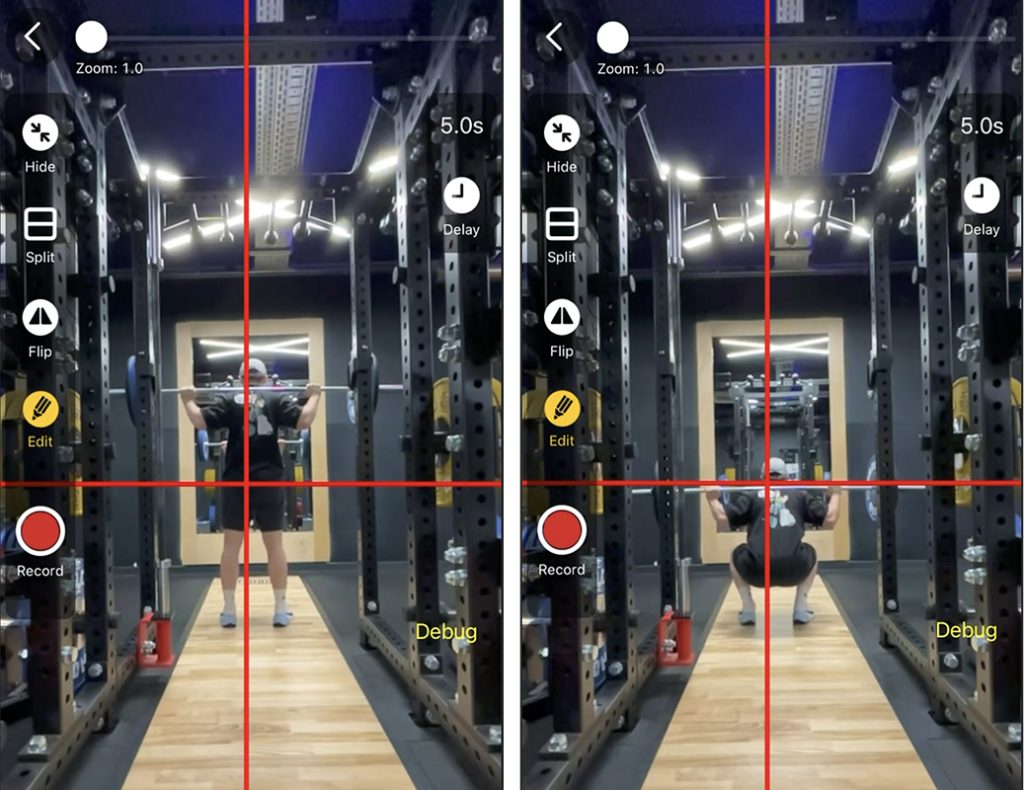
Set up for checking neutral spine and bar path
- Place your device so it is directly to your side at a 90-degree angle. Using a tripod will help keep the view steady and consistent.
- Select Delay Mode and the front camera to monitor your movements during the lift.
- Make sure you can see yourself during the entire lift, then tap Start.
- Set the delay long enough to finish your reps, rack the bar, and walk over. For example, a 40-second delay is perfect for 8 reps.
- After each set, check the instant replay to see if your spine stayed neutral throughout the movement.
- If you want a closer look, switch to Replay View for detailed form checks:
- Monitor the “Butt Wink” (pelvic tilt): Use slow motion to inspect whether your lower back rounds at the bottom of the squat.
- Check the bar path: Draw a vertical line to see if the bar travels in a straight path over the middle of your foot.
- Review chest position: Ensure your chest doesn’t “fold” toward your knees during the ascent and keep your gaze forward.
💡To track knee alignment and the depth of your hips, use the same steps but position the device at a 45-degree angle.
With Video Delay Instant Replay as your gym companion, you see exactly what just happened – right after your set. Watch your replay, make one simple adjustment, and let the video delay help you keep improving while the feedback is fresh. Use these instant insights to plan your next training session and master your barbell squat technique.
How to Analyze Velocity Squats with the Video Delay Instant Replay app
Velocity squats are a powerful way to boost your explosive strength, vertical jump, and enhance sprint performance. When your ascent speed falls below your target velocity threshold, it’s time to end the set. With a velocity tracker like the Video Delay Instant Replay app, you can instantly spot when your reps are getting too slow. Stopping at the right moment prevents wasted effort on ineffective reps and ensures every set is focused on building real explosive strength. This approach keeps your training efficient, safe, and results-driven. With the video delay app, you don’t need expensive equipment, just your phone or tablet. Here’s a quick step-by-step guide to get started.
Measuring Velocity Using the Replay View and Drawing Tools.
- Open the app, go to Settings > Video Format > Frame Rates, and set a higher frame rate available (60 fps or higher)
- Place the device to your side, with the front camera facing you, to capture the full range of motion.
- Choose a delay time long enough to complete your set and walk to the screen. For example, use 20 seconds for a set of 3 reps.
- After completing the set, tap the Replay button.
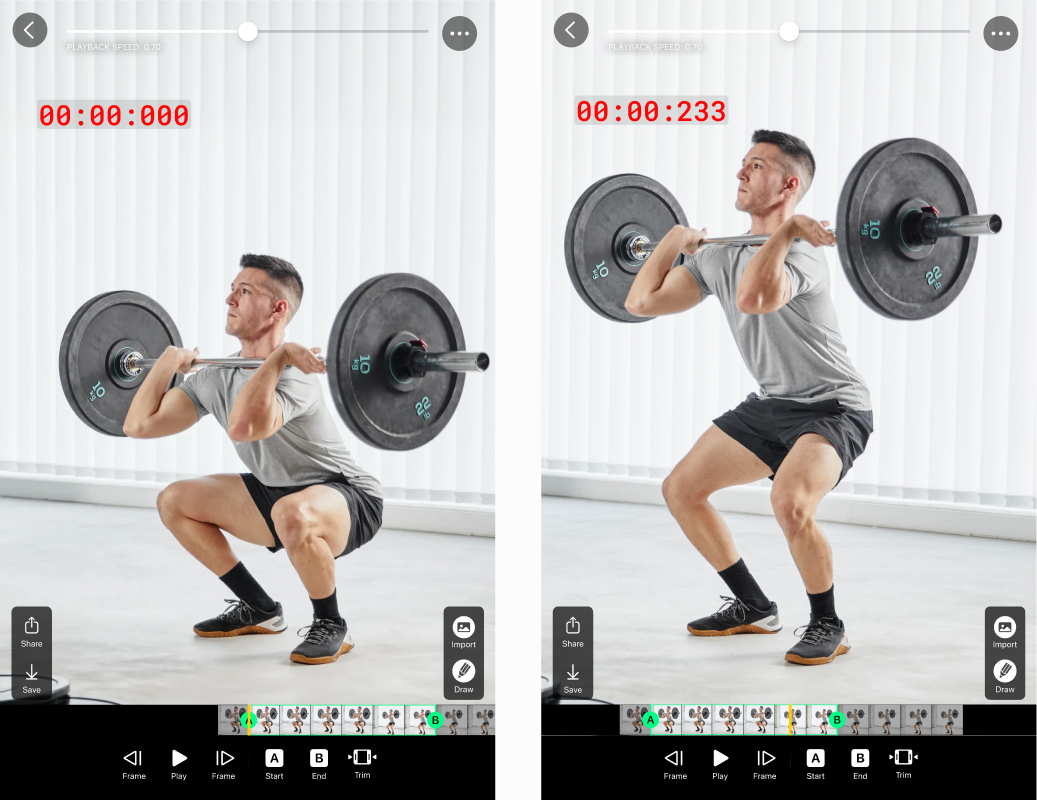
- Scroll the playback timeline to the moment you begin the ascent and tap Pause.
- To precisely set the starting point, use the Previous and Next Frame buttons.
- Tap the Draw button and select Stopwatch.
- Tap anywhere on the screen to add the Stopwatch.
- Move the timeline to the moment you’re fully upright, then read the Stopwatch value to measure ascent time.
If your ascent takes longer than half a second, it might be a sign that the weight is too high, you are too fatigued, or your break time between sets is too short.
💡For better visibility, you can connect your iPhone or iPad to an external screen.
Focusing on your velocity is key – but it’s just as important to keep good form. By training with a video delay app, you get instant feedback and valuable data, making your squats more effective and your sessions more efficient. This means you save time, reduce your risk of injury, and get better results from every workout.